Core Practical 10: Investigating Collisions using ICT (Edexcel IAL Physics)
Spec point —
84
Core Practical 10: Investigating Collisions using ICT
Aims of the Experiment
-
To investigate conservation of momentum in two directions
- Considering if collisions are elastic
- Constructing a diagram of 2D collisions
-
Use of ICT software is required
- 'Tracker' is recommended by Edexcel
Equipment List
-
Small spheres
- Of two different diameters (ball bearings are ideal)
-
Digital camera able to record video
- Support to allow it to be positioned directly above the collision
-
Computer with Tracker installed
-
30 cm ruler
-
Micrometer or calipers
-
Balance
-
Graph paper
Method
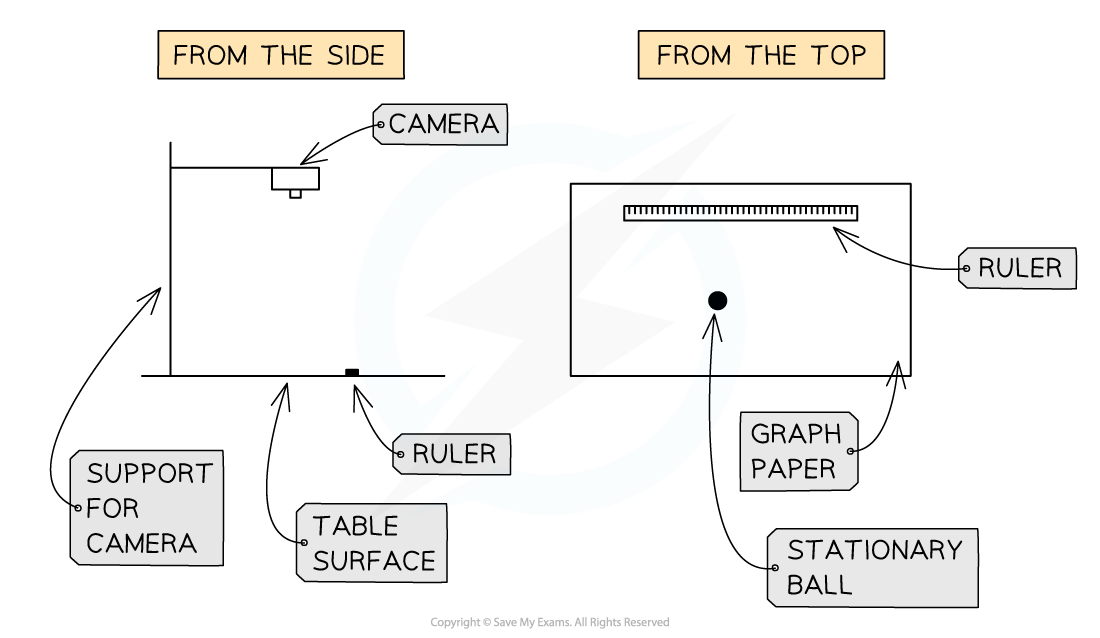
-
Measure the mass of the spheres using the balance and record
-
Measure the diameter of the spheres using a micrometer or Vernier calipers
-
Mark an approximately central point on the graph paper
- This will be where the stationary sphere is placed
-
Start the camera recording
-
Within the area of the graph paper, roll a sphere into the stationary one
-
Replace the stationary sphere in its initial place and repeat the experiment up to three times
- A slightly different angle of approach should be used for each collision
- Download the video file from the camera to the computer that runs Tracker
- Load the clip into the program.
Analysing the Results
-
Use Tracker to analyse the video clips.
- Input the mass and diameter of each sphere when prompted
- Use the ‘velocity overlay’ feature so that the software can analyse velocities
-
The Tracker software allows for frame-by-frame analysis of the movement of the spheres
- Orientate the axes to make the velocity of the moving ball along one of the axes
- Record the momentum of each ball as indicated in Tracker
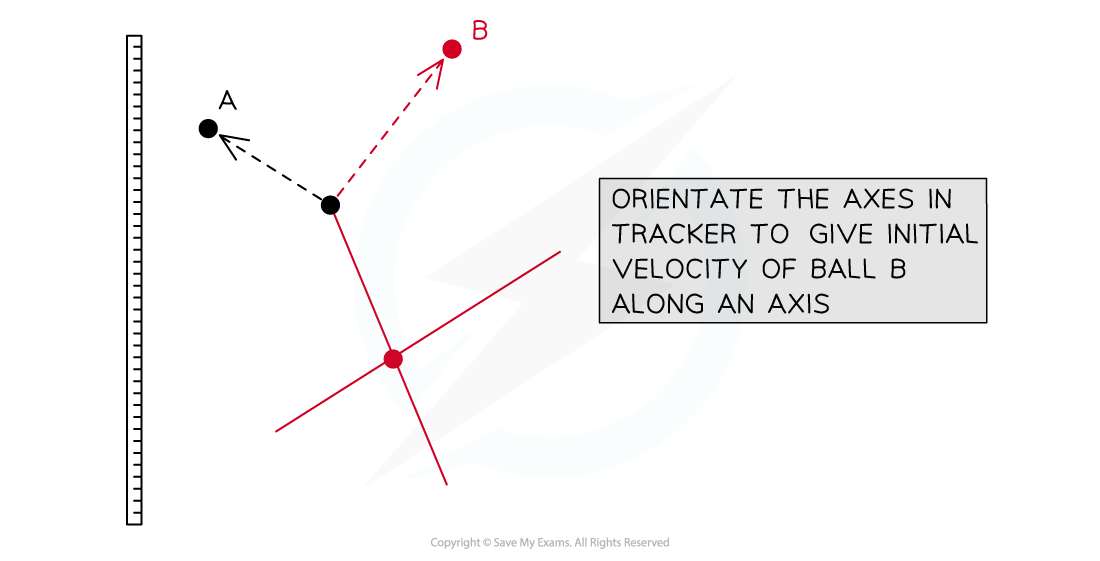
- Construct a vector diagram from the results
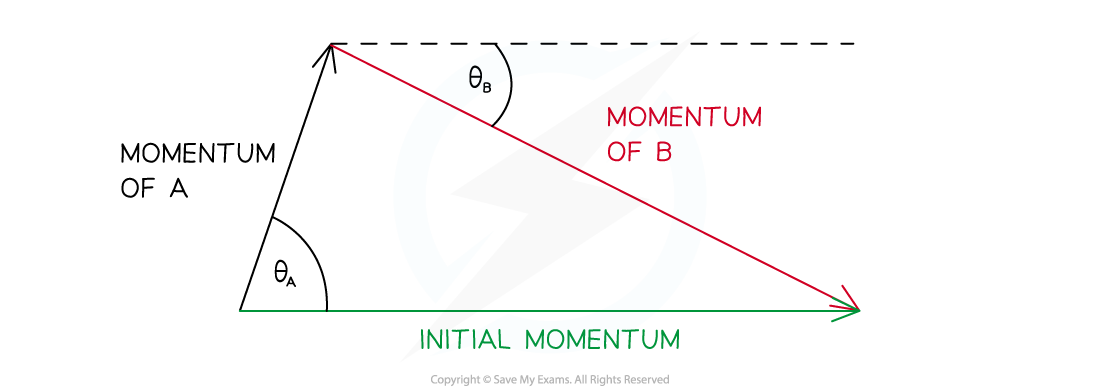
Evaluating the Experiment
-
ICT is used in this experiment because
- The events happen to swiftly for the unaided eye to take readings
- ICT generally provides more precise and reliable data
Systematic errors:
-
Parallax error from camera to the table
-
The precision of the balance may give a wide range of possible values for mass
- If possible use a more precise balance
-
The spheres may have damage
- Check there is no damage to the surface of each sphere before using
-
The Tracker axes may not be correctly aligned when analysing
Random errors:
-
The collision event may happen between frames
-
From variations in the table surface
- This could cause loss or gain of kinetic energy due to friction or slopes
-
The sphere may not travel far enough to hit the second stationary sphere
- Discard this result and release with greater initial velocity
Exam Hint It can be helpful to practice a few collisions before making your final readings. This will help you become familiar with how fast to release the sphere.
Was this revision note helpful?
Build on this topic