Create & Edit a Spreadsheet (Cambridge International IGCSE ICT)
Exam board Cambridge International · IGCSEUpdated 2024-06-27
Create and edit a spreadsheet
What is a spreadsheet?
- A spreadsheet is a piece of software used to analyse, visualise and manipulate data
- A spreadsheet is made up of cells, rows and columns
- A cell is one box on the spreadsheet and is referenced using its cell reference (e.g. A1)
- A row goes across and is referenced using the number down the side
- A column goes down and is referenced using the letter at the top
Inserting and deleting cells, rows, and columns
- You can alter the structure of a spreadsheet by inserting or deleting cells, rows, and columns
- This flexibility allows you to manage and organise your data effectively
Merging cells
- Merging cells combines two or more cells into one larger cell
- This is useful for creating headers or titles that span across multiple columns

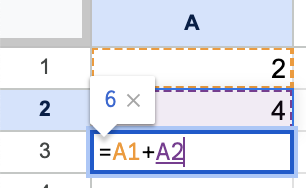
Creating formulae using cell references
- Formulae allow you to perform calculations on your data
- You can reference specific cells in your formulae to make them dynamic and adaptable
Replicating formulae using absolute and relative cell references
- Absolute cell references ($A$1) stay constant, while relative cell references (A1) change when you copy or drag a formula
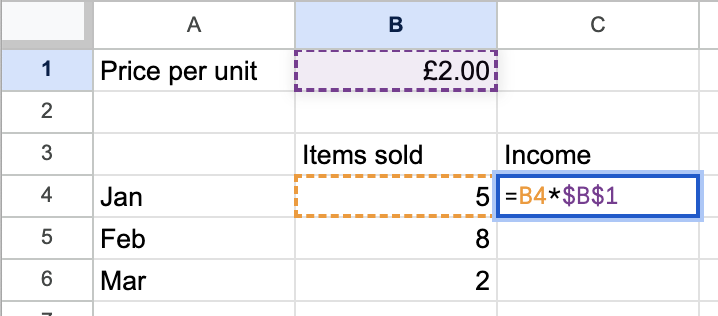
- Use absolute references when you want the same cell referenced and use relative references when you want the reference to change
Use of arithmetic operators in formulae
- Arithmetic operators allow you to perform basic mathematical operations in your formulae: add (+), subtract (-), multiply (*), divide (/), and indices (^)
- More information about formulae can be found on the formulae revision note
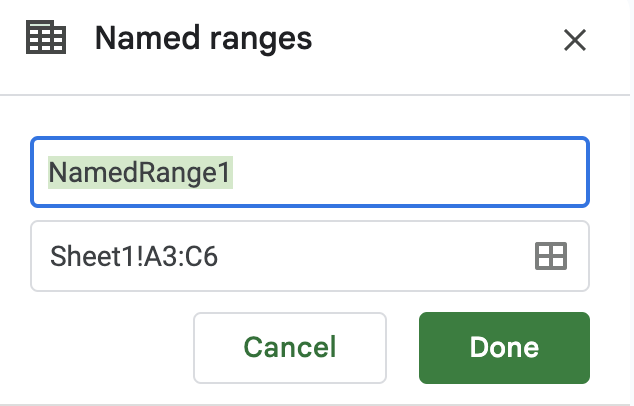
Using named cells and named ranges
-
Named cells:
- Easily refer to a group of adjoining cells
- Shortens/simplifies formulae
- Enables referring to a group of cells without having to lookup cell references
- Don’t have to re-set the absolute referencing manually
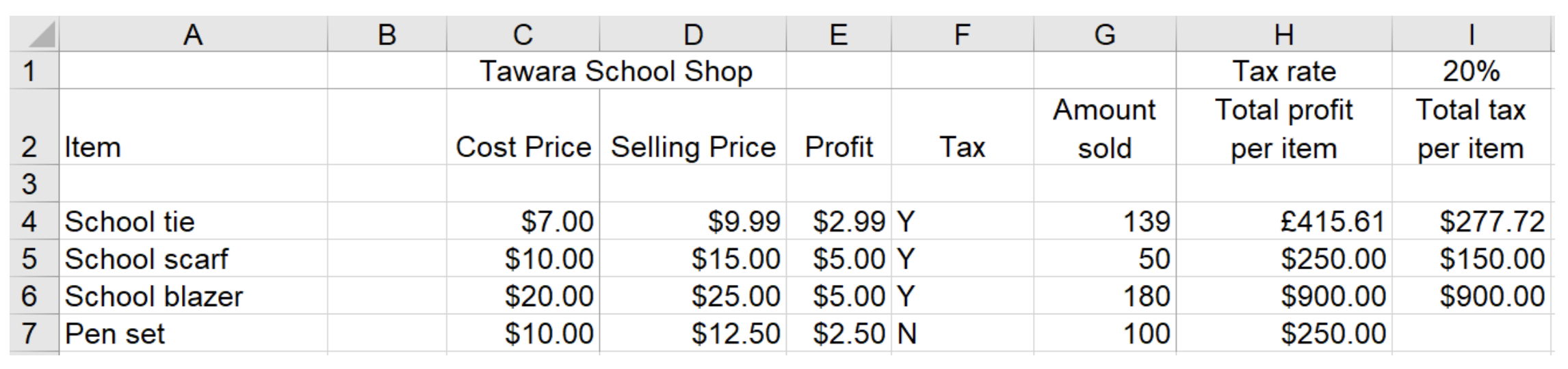
Worked Example Tawara school has a shop that sells items needed by pupils in school. Part of a spreadsheet with details of the items is shown.
a. Write down the number of rows that are shown in the spreadsheet that contain text.
[1]
Final answer: 6 rows [1]
b. Write down the number of columns that are shown in the spreadsheet that contain text.
[1]
Final answer: 8 columns [1]
Exam Hint
- Make sure you know which way round rows and columns are - rows go across and columns go down
Was this revision note helpful?
Build on this topic