Types of Digital Devices (Edexcel IGCSE Ict)
What is a computer?
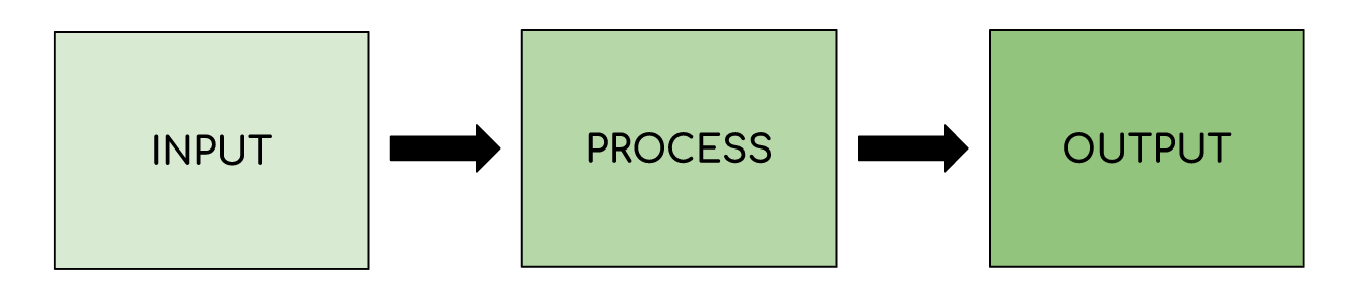
- A computer is an electronic device capable of taking an input, processing data, storing information and providing an output
- Data that is input, is raw, **unprocessed **information
- Information is data that** people understand**
Mainframe computers & microprocessors
Spec point —
1.1.1
What is a mainframe computer?
-
A mainframe computer is a computer with **huge processing power **and data storage capabilities
-
Built to handle** enormous amounts of data** and carry out complex calculations
-
Designed to be secure, reliable and support large volumes of simultaneous users
-
Carry out critical tasks for large organisations in sectors such as:
- Finance
- Health
- Government etc.
What is a microprocessor?
-
A microprocessor is an integrated circuit (IC) that contains a central processing unit (CPU)
-
A microprocessor is embedded into devices to help them carry out tasks
-
The microprocessor is responsible for executing instructions
-
Microprocessors are used in a home to monitor and control devices such as:
- Central heating systems
- Security alarm systems
- Home entertainment system etc.
Laptops & desktop computers
Spec point —
1.1.1
What is a desktop computer?
-
A desktop computer is a computer designed to stay in one place, for example on a desk
-
A desktop computer traditionally consists of a separate:
- Monitor
- Computer
- Keyboard & mouse
-
Desktop computers are typically more powerful than mobile computers
-
Desktop computers are upgradable, the parts can be replaced/changed to increase performance
Uses of desktop computers
| Office & Business | Education | Gaming & entertainment |
|---|---|---|
| Word processing | Online learning | Online gaming |
| Financial modelling | Research (www) | Streaming music/film/TV |
| Content creation | Social media | |
| Data storage & backup | Multimedia presentations | Online browsing |
| Video/image editing | Online collaboration | |
| Project management | Online communication | |
| Video conferencing |
What is a laptop computer?
-
A laptop computer is a computer designed to be portable
-
A laptop computer traditionally consists of built-in:
- Monitor
- Computer
- **Keyboard & trackpad **or touch screen keyboard & pointer
-
Laptop computers are typically** less powerful** than desktop computers due to:
- Power constraints due to size
- Focus on extending battery life
-
Laptop computers are not easily upgradable, components are integrated for size and efficiency
-
Laptop computers are battery powered
-
Some laptops are used as desktop replacements
Advantages and disadvantages
| Advantages | Disadvantages |
|---|---|
| Easy to carry and use on the go (Portability) | Limited expandability (Difficult to upgrade hardware) |
| Access to internet and resources from anywhere (Flexibility) | Less powerful (Lower performance compared to desktop computers) |
| Can be used for various tasks and activities (Multi-functionality) | Shorter battery life (Needs frequent charging) |
Mobile phones & tablet devices
Spec point —
1.1.3
What is a mobile phone?
-
A mobile phone is an ultra portable electronic device designed to be lightweight and fit in a pocket or small bag
-
Mobile phones are used to transmit information between people and devices using radio waves
-
Two examples of mobile phones are:
- Smartphones
- Specialist
Smartphones
- A smartphone is a versatile general purpose device
- Smartphones use subscriber identity module (SIM) cards to link the devices to a network carrier, allowing them to make phone calls and send messages
- Smartphones include features such as:
| Feature | Description |
|---|---|
| SMS messaging | - Quick communication - Messages are stored on the device and can be read at any time - Use virtual keyboards and predictive text |
| Phone calls | - Simple voice communication - Requires cellular reception |
| Voice over internet protocol (VoIP) | - Audio & visual communication via the internet - Requires extra apps installed on the devices - Can make & receive calls via smartphone, tablet and computers - Requires a forward facing camera for video calls |
| Accessing the internet | - Requires cellular reception to access on the move - Web pages are optimised for smartphone access - Automatically used Wi-Fi when in range and connected |
| Mobile payments | - Uses NFC |
| Camera | - Smartphones have built-in cameras for video calls - Camera can act as a barcode scanner for QR codes |
Specialist
- A specialist phone is designed for a particular groups of users or environment
- They prioritise specific features over general purpose use
| Example | Specialist features |
|---|---|
| Senior phones | - Larger buttons - Easy to read displays - Simplified user interface - Emergency alert buttons - Hearing aid compatibility |
| Children's phones | - Brightly coloured - Robust - Child friendly interface - Limited app access - Parental controls |
| Rugged phones | - Designed for tough environments - Thick screens - Rugged outer casing - Built to withstand: - Water submersion - Dust - Extreme temperatures - Drops |
What is a tablet device?
- A tablet is a general purpose device that sits between a laptop and a smartphone
- A quick comparison shows:
| Feature | Smartphone | Tablet |
|---|---|---|
| Size | Ultra portable, designed to fit in a pocket | Portable but the larger screen means they require a bag or case to carry around |
| Focus | Communication (calls, texts, mobile data), camera for capturing images & videos | Entertainment & productivity (games, reading, watching movies) |
| Power & performance | Carry out everyday tasks but may lack power for demanding applications or tasks | Typically more powerful than a smartphone but not as powerful as a laptop, more processing power & RAM. |
| Battery life | Due to battery size they usually require charging more often than a tablet | Typically longer battery life depending on usage |
Other digital devices
Spec point —
1.1.5
| Device | Description | Features |
|---|---|---|
| Cameras & camcorders | Uses light sensors to capture images formed by light passing through a lens | - Lens- High quality lens allows light to pass through without defects - Image processor- Compensates for poor lighting - Sensors- Capture detail, more pixels are produced |
| Games console | Specialised PC for playing video games | - Powerful processors & graphics for high quality smooth gameplay - Online capability - Controllers for interactivity |
| Home entertainment systems | Hub for connecting audio and video devices | - Connects TVs, speakers and media players together - Receiver processes audio and video signals - Can provide immersive experience (surround sound) |
| Media players | A device for multimedia playback | - Connects to TVs or speakers for playback - Plays different media such as Blu-ray, DVD - Portable media players for on the go |
Multifunctional devices
Spec point —
1.1.7
What is a multifunctional device?
-
A multifunctional device is a device designed to carry out a wide range of tasks
-
Multifunctional devices combine functions that would usually be separate
-
Examples of multifunctional devices include:
- Smartphones- Communication, photography, gaming, media playback/streaming, web browsing all in one device
- Printers- Printing, copying and scanning in one device
- Smart TVs - Watch TV, connect to the internet, stream content
What is convergence?
- Convergence is the merging of technologies that would usually be separate
- Convergence led to the rise of smartphones
Worked Example A. Which one of these could be used as a desktop replacement computer?
Laptop Mainframe Media Player Server [1]
B. Describe how tablet computers allow people to work from home.
[2]
Answers
A. Laptop [1]
B. A description to include two linked points from:
Portability
Internet connectivity
Cloud storage
Hosted applications
Collaboration
Example
- Workers can connect to the Internet [1] to access cloud storage [1]
Was this revision note helpful?
Build on this topic