Layout (Edexcel IGCSE Ict)
Spec point —
6.1.4
Layout
How can you edit the layout of a document?
-
Editing the layout changes the overall look and feel of a document
-
Layout relates to how content is positioned on a page
-
There are many different way this can be achieved, such as using:
- Headings
- Sub-headings
- Lists
- Templates
- Orientation (portrait & landscape)
- Breaks
Headings & sub-headings
- Make documents consistent
- Predetermined styles can be applied (size, colour, font style etc.)
- Allows for the use of auto index creation
Using headings and sub-headings
Lists
- Present information in a clear, concise and easy to read way
- Allows users to find key points without being bogged down by paragraphs
Adding lists in a document
Templates
- Streamlines document production, saving time
- Pre-set formatting included with templates
- Help create a consistent look and feel
Creating a new document using templates
Orientation
- Weather the page is vertical (portrait) or horizontal (landscape)
Changing the page orientation
Breaks
-
Breaks are a method of dividing information into manageable chunks to control the layout and organisation of a document
-
Breaks can be used in:
- Printed materials
- Websites and applications
Adding breaks to a document
Page breaks
-
A page break forces content to start on a new page even when there is still space available.
-
Common uses include:
- Starting a new chapter or section
- Separating graphics and tables from surrounding text to improve readability
- Ensuring all page elements appear at the top of a page
Column breaks
-
A column break divides a page into multiple columns to suit specific content types
-
Common uses include:
- Creating a newsletter or brochure
- Formatting content for easier viewing on screen
Section breaks
-
A section break creates independent sections that can be formatted differently
-
Common uses include:
- Changing page orientation for a specific section
- Applying different column layouts in the same document
Headers & footers
Spec point —
6.1.4
What is the purpose of headers & footers?
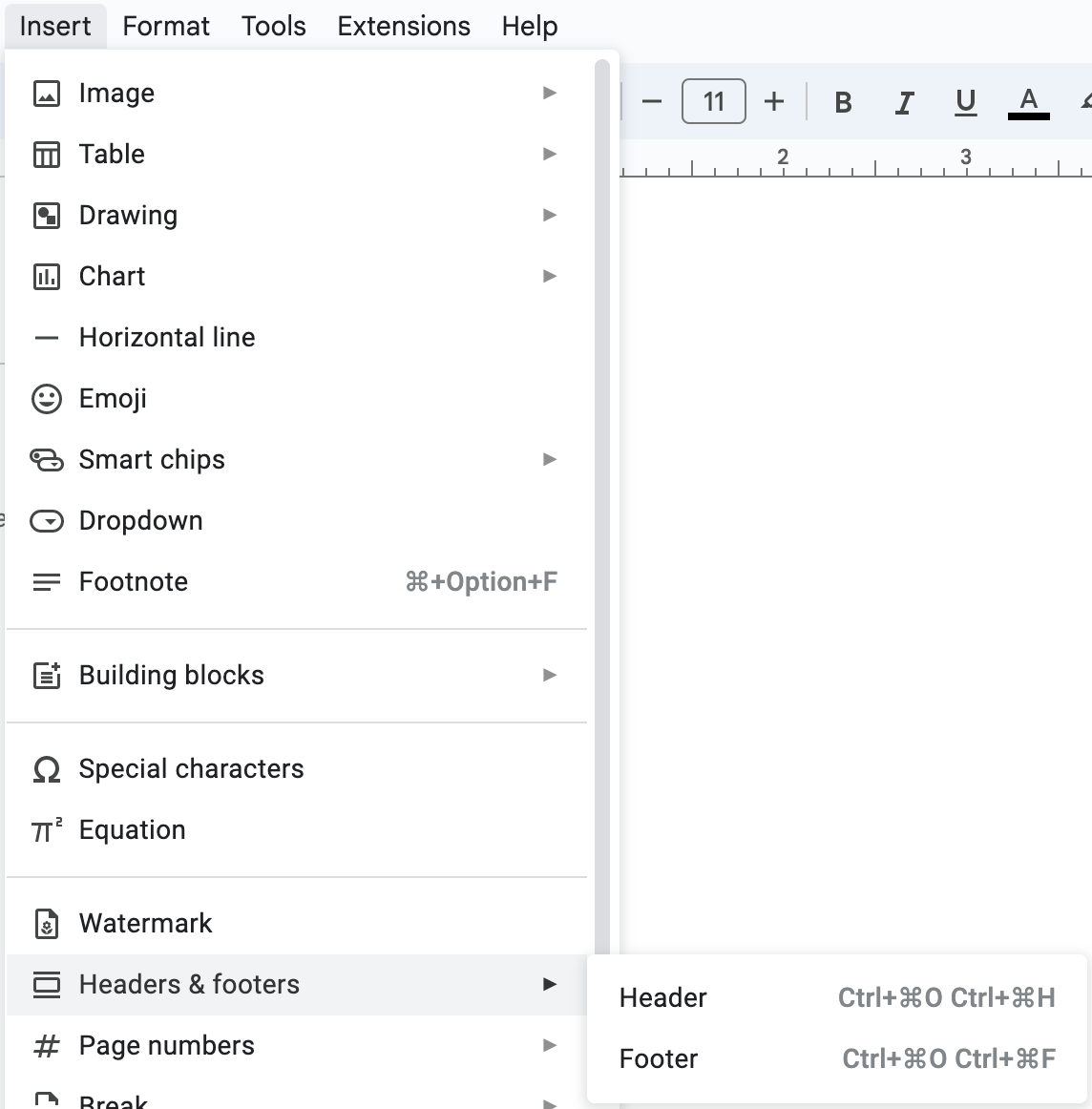
- Headers and footers are areas at the top (header) and bottom (footer) of documents that can be used to help identify them
-
Headers and footers can contain:
- Document name
- Author
- Company logo
-
Headers and footers only need to be added once and are replicated on each page, saving time and reducing the chance of data errors
Automated objects
-
Headers and footers can also contain automated objects to enhance the professionalism of a document
-
Examples of automated objects include:
- Date/time
- Page numbering
- Total number of pages
Aligning contents
-
The contents of headers and footers can be aligned consistently within a document
-
They can be aligned to the:
- Left margin
- Right margin
- Centred within margins
Was this revision note helpful?
Build on this topic