Software (Cambridge International IGCSE ICT)
Spec point —
1.1.2
Software
What is software?
-
Software is the set of programs that control the hardware; they live on the computer system but cannot be physically touched
-
Software can be broken down in to two categories:
- Application software
- System software
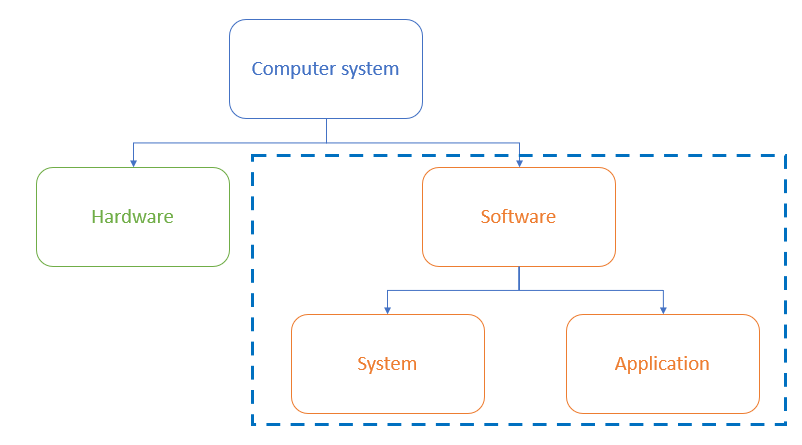
What is application software?
-
Application software (abbreviated 'apps') is software chosen by a user to help them carry out a specific task
-
Application software is installed on top of system software and is user-chosen to best suit industry requirements
-
Common categories of application software include:
- Word processing: creating and editing text documents
- Spreadsheet: organising and analysing data in a grid format
- Database management systems: storing, retrieving and managing data in databases
- Control/measurement: uses sensors to measure and control a system
- Video editing: creating and modifying video files
- Graphics editing: creating and modifying images
- Audio editing: creating and modifying sound files
- Computer-Aided Design (CAD): designing and modelling objects in 2D or 3D
What is system software?
-
System software is software essential for the operation of a computer system
-
Without system software, a user has no starting point for giving a computer instructions
-
System software gives users a platform to run applications and carry out tasks
-
Essential services carried out by system software include:
- Compilers: translating high-level programming languages into machine code
- Linkers: combining object files into a single executable program
- Device drivers: controlling hardware components and peripherals
- Operating systems: managing the computer's resources and providing a user interface
- Utilities: tools for maintaining and optimising the computer's performance
Exam Hint A common misconception is that control software is system software—it's actually application software!
Operating Systems
Spec point —
1.3.1
What is an operating system?
-
An operating system (OS) is software that provides an interface between the user and the hardware in a computer system
-
An operating system enables a system to function by:
- Controlling input/output devices
- Oversees loading, running and storage of application software
- Deals with errors
- Maintains security
- Keeps a log of events
What is a user interface?
-
A user interface is how the user interacts with the operating system
-
Examples of user interfaces include:
- Command Line Interface (CLI)
- Graphical User Interface (GUI)
- Dialogue-based
- Gesture-based
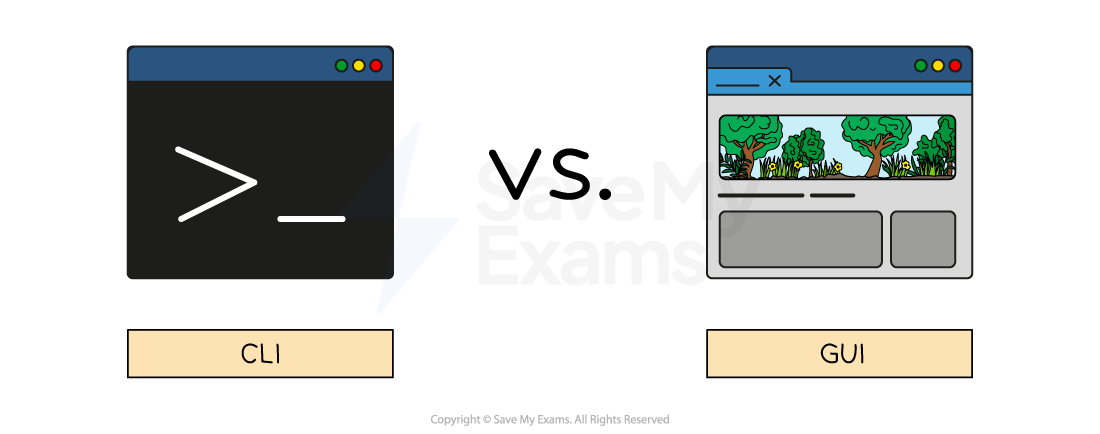
| Feature | CLI | GUI | Dialogue-based | Gesture-based |
|---|---|---|---|---|
| How do users interact? | Text-based commands | Visual elements (WIMP) | Spoken word | Human interaction (hands, fingers, head or feet) |
| Examples | MSDOS, Raspbian | Windows and Mac OS | Amazon Alexa, Siri | Smartphones (swiping, pinching, and zooming) |
Advantages and disadvantages of user interfaces
| Interface | Advantages | Disadvantages |
|---|---|---|
| Command line (CLI) | - Uses fewer system resources - Useful for automation of tasks - Commands are often faster to type than navigating menus | - Requires users to remember commands - Typing errors are common - Less intuitive than GUI |
| Graphical (GUI) | - Intuitive and user-friendly - Requires no previous knowledge to use - Information is visual, making it easier to understand | - Uses more system resources - It can be slower to find and execute commands - Can be frustrating when doing repetitive tasks |
| Dialogue-based | - Can be used by people with disabilities - Intuitive | - Not always reliable - Privacy concerns |
| Gesture-based | - Intuitive - Can be used by people with disabilities - Immersive - Faster for certain tasks | - Precision - Recognition errors - Can lead to discomfort - Limited support |
Worked Example Tick whether the following are examples of applications software or system software
[2]
Applications Systems Control software Compiler Word processor Device driver Answers
Applications (✓) System (✓) Control software Final answer: ✓ Compiler Final answer: ✓ Word processing Final answer: ✓ Device drivers Final answer: ✓ Final answer: 2 marks for 4 correct ticks 1 mark for 2 or 3 correct ticks 0 marks for 0 or 1 tick
Was this revision note helpful?
Build on this topic