The Systems Life Cycle: Design (Cambridge International IGCSE ICT)
What is the system life cycle?
-
The system life cycle is a structured process that guides the planning, creation, testing, and **deployment **of an information system
-
Ensures systems are** systematically developed**, meeting needs of stakeholders, minimising risks and maximising efficiency
-
The second stage is design, the purpose is to:
- Develop architectural blueprints for the system, including database design, user interfaces, and system interfaces.
File/Data Structures
What are file/data structures?
-
File structures are considered during the design stage of the systems life cycle and consist of defining:
- Field names
- Filed lengths
- Data types
- Primary keys
-
A file consists of records and records are made up of fields
-
Each record is identified by its unique primary key field
Data types
| Data type | Description | Examples |
|---|---|---|
| Alphanumeric | Stores a combination of characters (letters or text) and numeric data | Usernames, postcodes, product codes, phone numbers |
| Character | A single letter/symbol | A, B ,C etc. |
| Text | Stores a combination of characters (letters, text, symbols, special characters etc.) and numeric data | This_is_an_example |
| Boolean | Stores data in a Yes/No or True/False format | Y or N |
| Numeric | Stores numerical data: - Integers - Decimals - Currency - Date/Time | 100 1.50 £2.99 18/05/2024 or 14:58 |
Case Study A file structure for records containing information about cars
Field name Field length Data type Primary key? Car_ID 6 Alphanumeric Yes Year 4 Numeric: integer No Make 20 Text No Model 20 Text No Cost 6 Numeric: currency No Sold 1 Character No
Validation Routines
What are validation routines?
- Validation routines are checks placed on data being entered to ensure it matches the design of the system
- Validation routines prevent errors and maintain data integrity
| Validation routine | Description | Examples |
|---|---|---|
| Range check | Ensures the data entered as a number falls within a particular range | For children aged between 5 and 10, checks to make sure numbers <5 and >10 are not accepted |
| Length check | Checks the length of a string | Password must be a minimum of 8 characters, checks to make sure the length is >=8 |
| Type check | Check the data type of a field | Enter distance in whole miles, checks to make sure decimals are not accepted |
| Format check | Ensures that the data has been entered in the correct format | Enter date of birth (DD/MM/YY), check to make sure the format is correct |
| Presence check | Looks to see if any data has been entered in a field | Enter your username ,check to make sure the filed has not been left blank |
| Check digit | Check digits are numerical values that are the final digit of a larger code | Barcodes |
Input & Output Formats
What are input and output formats?
- Input and output formats are design considerations for how data is captured from (input) and displayed to (output) the users of a system
Input formats
-
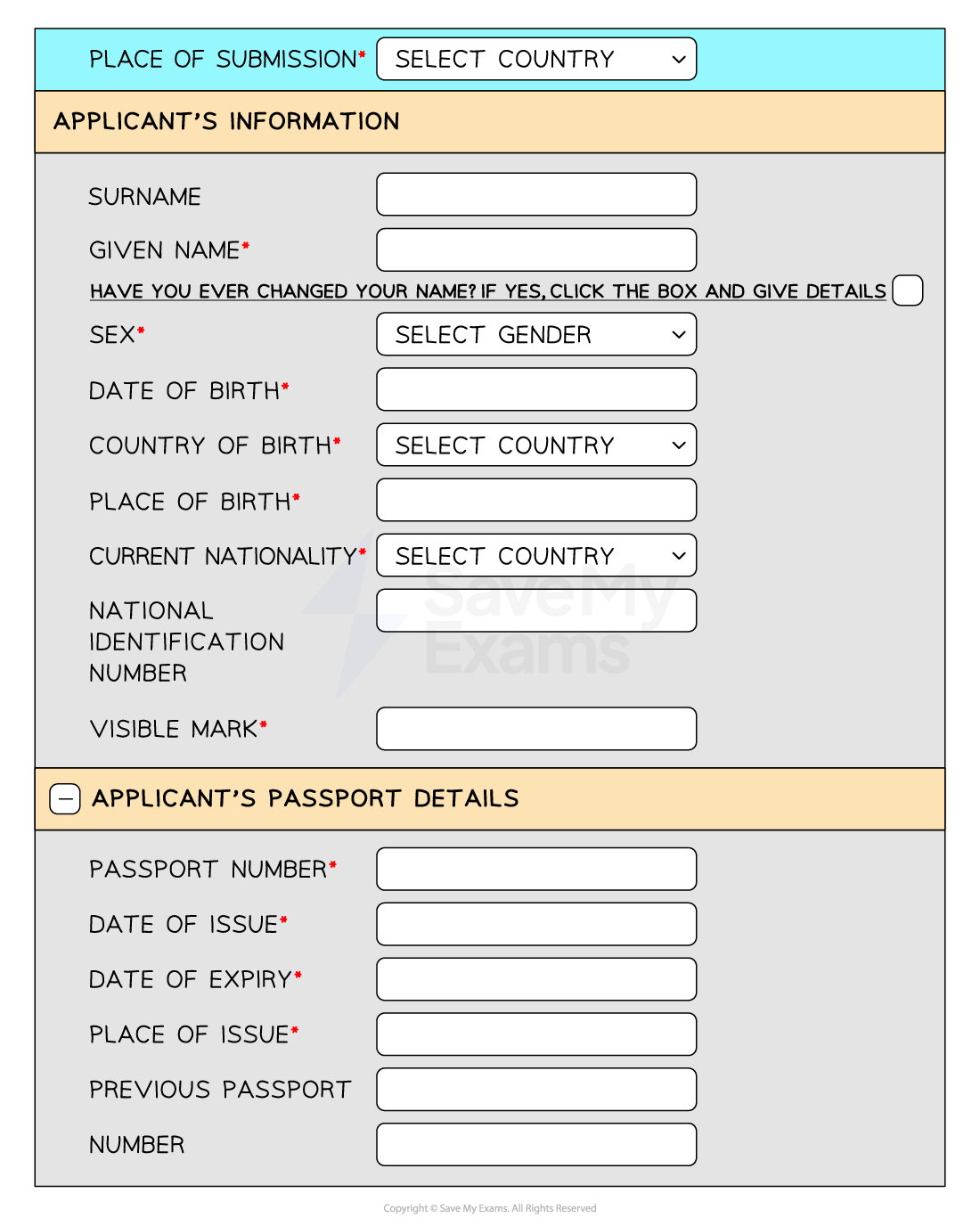
A data capture form is used to collect data from a user in a structured format
-
Data capture forms should aid the collection of data by:
- Having a user-friendly layout - short, visually appealing, logical flow
- Providing clear instructions - concise instructions at the beginning
- Using appropriate question types - multiple choice, drop downs, checkboxes etc.
- Using validation routines
Output formats
-
Showing the results of processing either paper-based on on a screen should consider:
- Screen layouts: how information is presented to users on a screen
- Report layouts: how information is organised in a printed or digital report
- Readability, visual appeal, and efficient use of space
Worked Example Carlos is designing a new computer system to replace an existing system.
Tick four items which will need to be designed.
[4]
Tick Inputs to the current system. Data capture forms. Report layouts. Limitations of the system. Observation methods. Improvements to the system. User and information requirements. Validation routines. Problems with the current system. File structure. Answers
Tick Inputs to the current system. Data capture forms. Final answer: χ Report layouts. Final answer: χ Limitations of the system. Final answer: Observation methods. Final answer: Improvements to the system. Final answer: User and information requirements. Final answer: Validation routines. Final answer: χ Problems with the current system. Final answer: File structure. Final answer: χ
Was this revision note helpful?
Build on this topic