Compression (Cambridge International IGCSE ICT)
The Need For Compression
What is compression?
-
Compression is reducing the size of a file so that it can be transmitted or stored in secondary storage
-
There are scenarios where compression may be needed, such as:
- Maximise the amount of data you can store on a digital device such as a mobile phone or tablet
- Minimise the transfer time of data being uploaded, downloaded or streamed across a network such as the Internet
-
Reducing the file size of an image can be achieved by reducing the colour depth or resolution of the image
-
Compression can be achieved using two methods, lossy and lossless
Lossy Compression
What is lossy compression?
-
Lossy compression is when **data is lost **in order to reduce the size on secondary storage
-
Lossy compression is irreversible
-
Lossy can** greatly reduce the size** of a file but at the expense of losing quality
-
Lossy is only suitable for data where reducing quality is acceptable, for example images, video and sound
-
In photographs, lossy compression will try to group similar colours together, reducing the amount of colours in the image without compromising the overall quality of the image
-
Example file types that use lossy compression are:
- JPEG Images
- MP3 Audio
- MPEG-4 Video
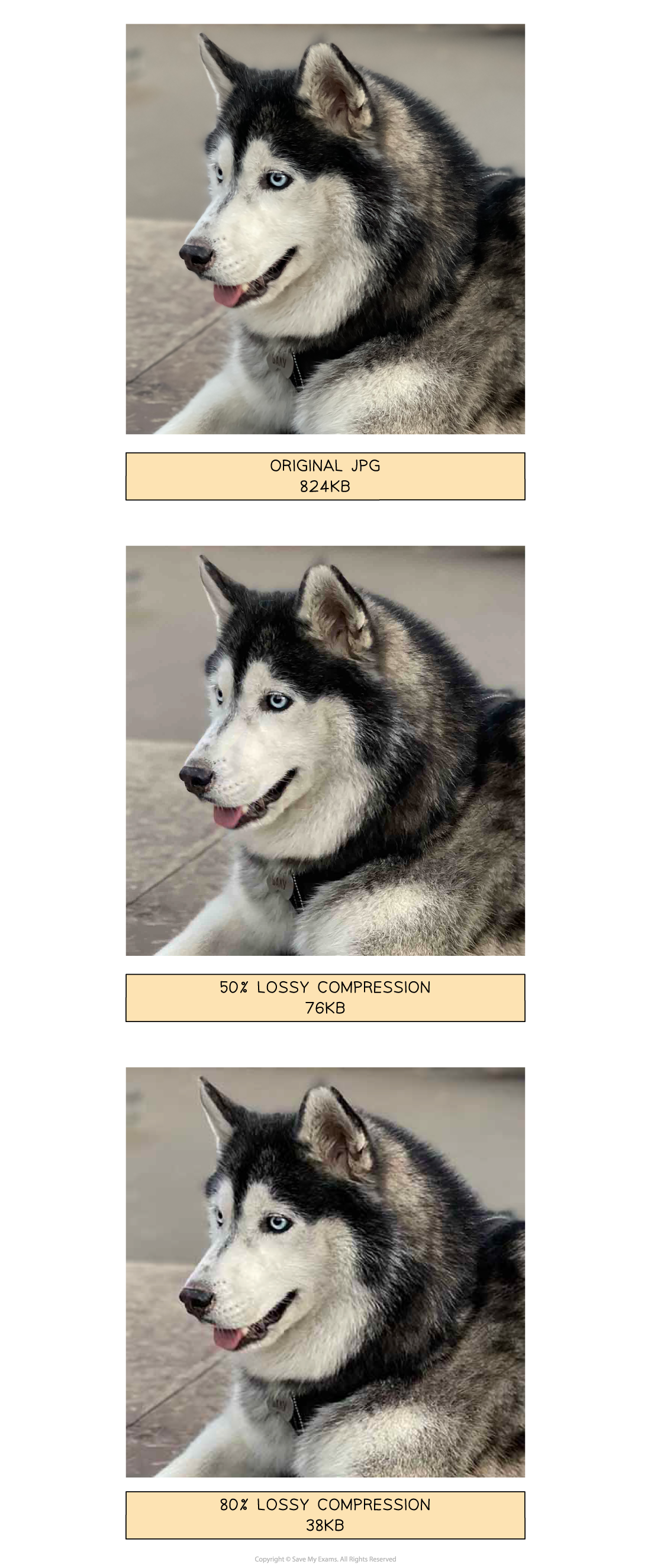
- In the images above, lossy compression is applied to a photograph and dramatically reduces the file size
- Data has been removed and the overall quality has been reduced, however it is acceptable as it is difficult to visually see a difference
- Lossy compressed photographs take up less storage space which means you can store more and they are quicker to share across a network
Lossless Compression
What is lossless compression?
- Lossless compression is when data is encoded in order to reduce the size on secondary storage
- Lossless compression is reversible, the file can be returned to its original state
- Lossless can reduce the size of a file but not as dramatically as lossy
- Lossless can be used on all data but is more suitable for data where a loss in quality is unacceptable, for example documents
- In a document, lossless compression uses algorithms to analyse the contents looking for patterns and repetition. For example, repeating characters are replaced with a single character and the number of occurrences in the document (“EEEEE” becomes “E5”)
-
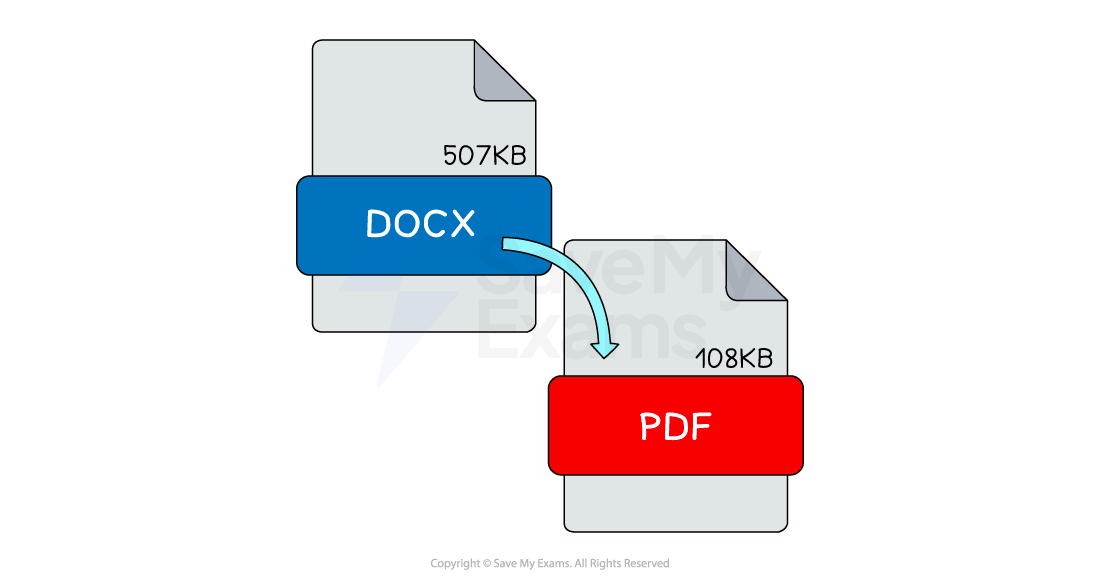
In the image above, lossless compression is **automatically **applied to document formats such as DOCX and PDF with a different rate of success
-
When you open a lossless compressed document the decompression process reverses the algorithms and returns the data** back to its original state**
-
Lossless compressed documents take up less storage space which means you can store more and they are quicker to share across a network
-
Example file types that use lossless compression are:
- .PNG Images
- .Zip files
- .Rar files
Worked Example Sarah uses her computer to record an audio file of herself narrating a video for work.
She emails her recording to friend for proofing. She uses lossy compression to produce the sound file.
Explain two reasons why using lossy compression is beneficial. [4]
How to answer this question
- What are the differences between lossy and lossless?
- Can you state two differences? [2 marks]
- Can you say why each point is a benefit? [2 marks]
Answer
- Lossy will decrease the file size [1]
- ... so it can sent via email quicker [1]
- Lossy means data is lost [1]
- ... the difference is unlikely to be noticed by humans [1]
Was this revision note helpful?
Build on this topic