Image Editing (Cambridge International IGCSE ICT)
Exam board Cambridge International · IGCSEUpdated 2024-06-26
Image Editing
What is image editing?
-
Image editing is the process of manipulating images and changing them to suit the user's end goal
-
Image editing can be done in several ways, the exam requires you to know about:
- Placing an image with precision
- Resizing an image
- Cropping an image
- Rotating an image
- Reflecting (flipping) an image
- Adjusting brightness and contrast
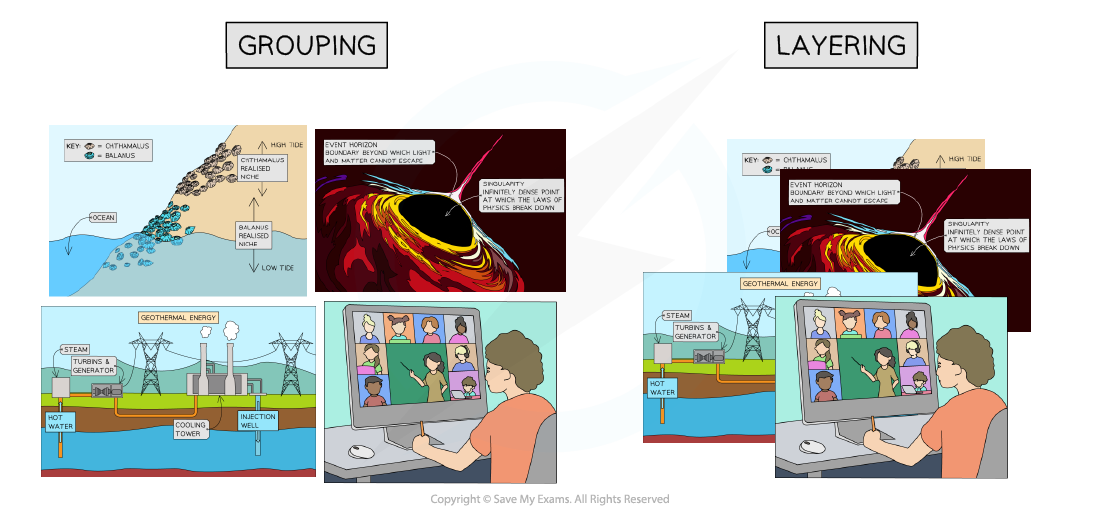
- Grouping and layering images
Placing an image with precision
- This refers to positioning an image accurately within a document or other media
- You can usually do this by selecting the image and dragging it to the desired location
- Some software allows for more precision through the use of coordinates or alignment tools
Resizing an image
- This means changing the dimensions of an image
- You can often do this by selecting the image and dragging its corners or edges
- Maintaining the aspect ratio means the image's width and height change at the same rate, preventing distortion
- Adjusting the aspect ratio can change the shape and proportions of the image
Cropping an image
- This involves cutting out and discarding parts of an image
- Cropping tools usually allow you to select a portion of the image to keep and discard the rest
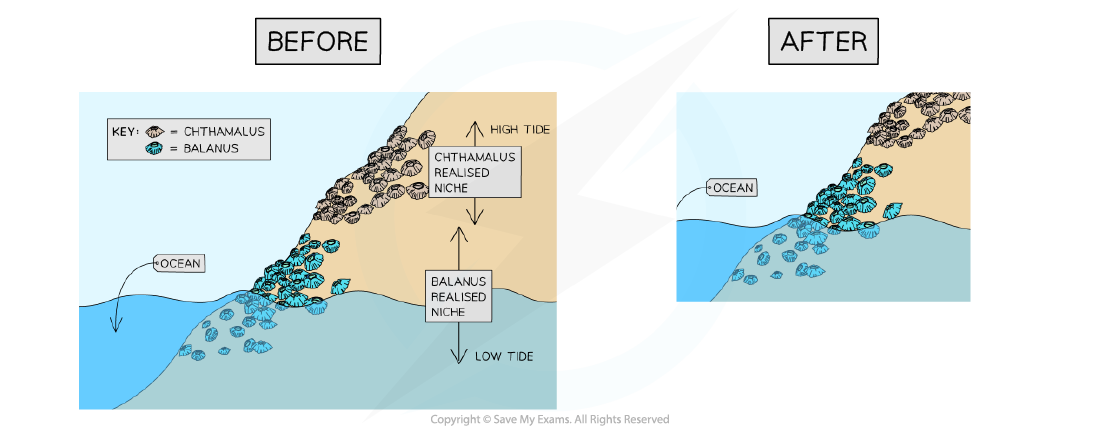
Rotating an image
- This means turning the image around a central point
- Most software allows rotation to any angle, and common rotations such as 90 degrees or 180 degrees are often provided as options
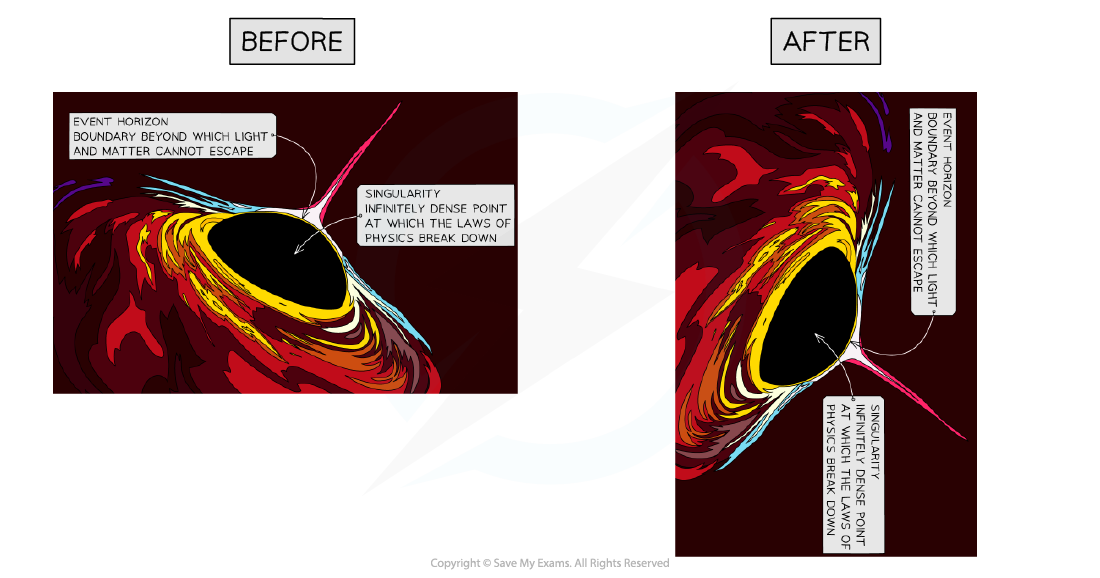
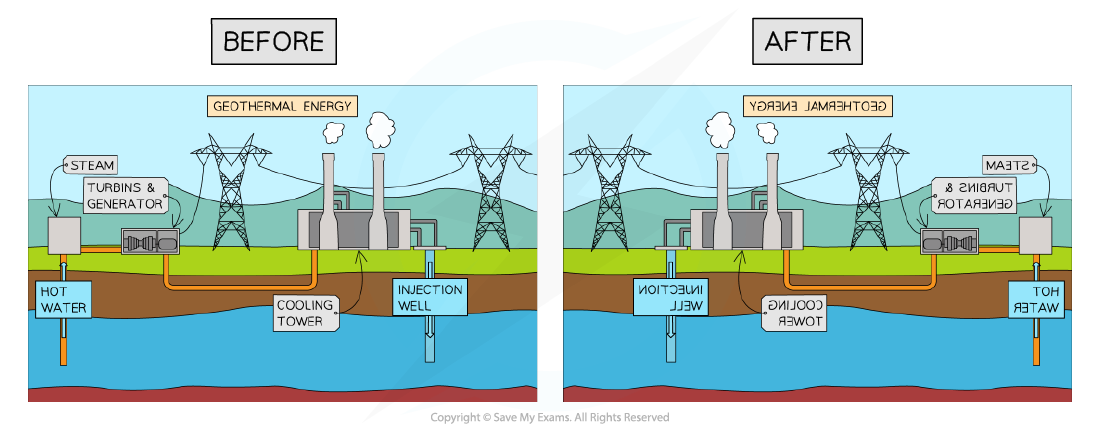
Reflecting (flipping) an image
- This means creating a mirror image of the original
- An image can be flipped horizontally (left to right) or vertically (top to bottom)
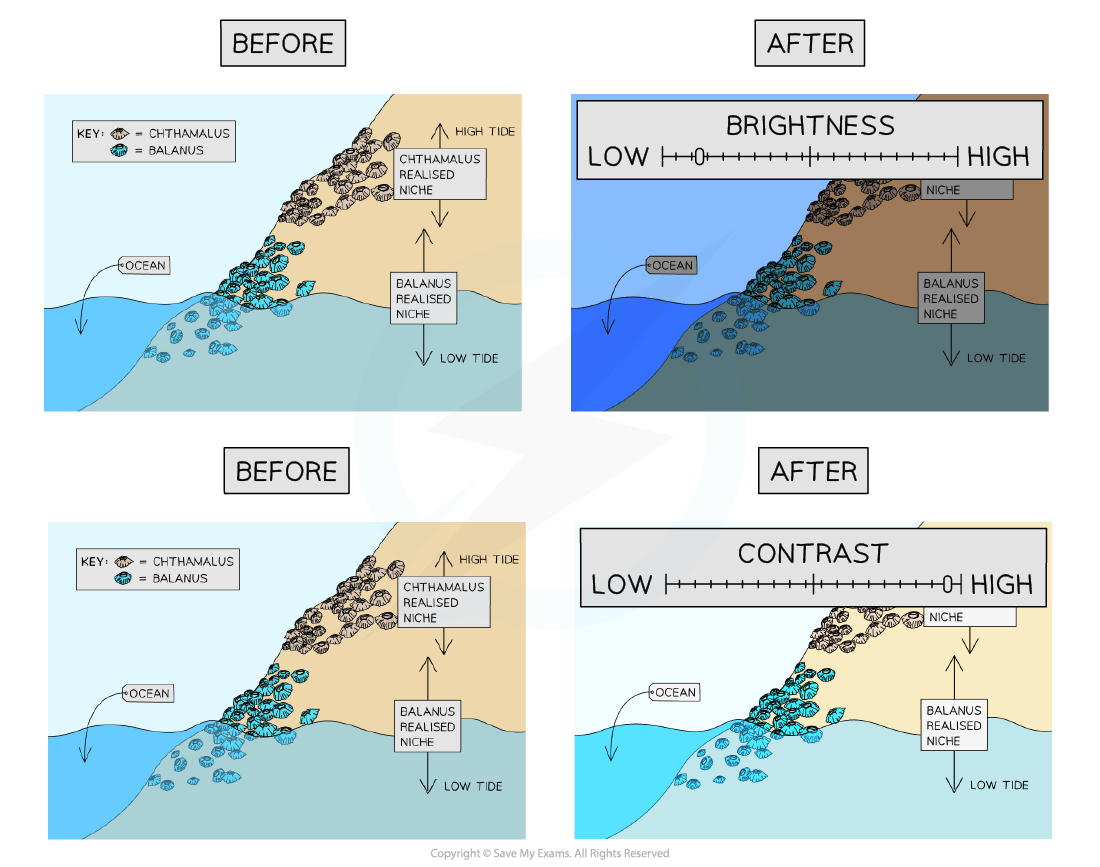
Adjusting brightness and contrast
- These tools change the light and dark values in an image
- Brightness affects all pixels in the image equally, making the image lighter or darker
- Contrast adjusts the difference between light and dark values, which can make the image appear more or less detailed
Grouping and layering images
- These techniques help to organise multiple images
- Grouping combines images so they can be moved or transformed as a single unit
- Layering involves placing images on top of each other
- You can change the order of layered images, moving them to the front or back
Exam Hint
- Make sure you use specific technical terms when answering questions on this topic
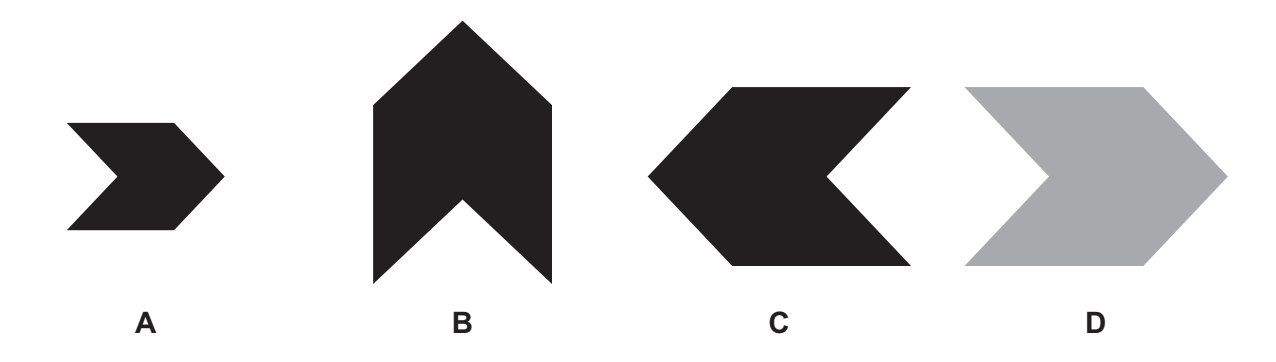
Worked Example An image has been changed in several different ways. Original image
For each of the following images describe the software editing technique used to produce the edited images are shown from the original image. Edited images
[4]
Final answer: Answers
Final answer: A - Resize the image maintaining an aspect ratio [1] B - Rotate the image 90 degrees anti-clockwise/counter-clockwise 270 degrees clockwise [1] C - Reflect the image in the Y axis [1] D - Brightness adjusted [1]

Was this revision note helpful?
Build on this topic