System Software & Application Software (Cambridge International IGCSE Computer Science)
Spec point —
4.1.1· "1 Describe the difference between system software and application software and provide examples of each"
System Software & Application Software
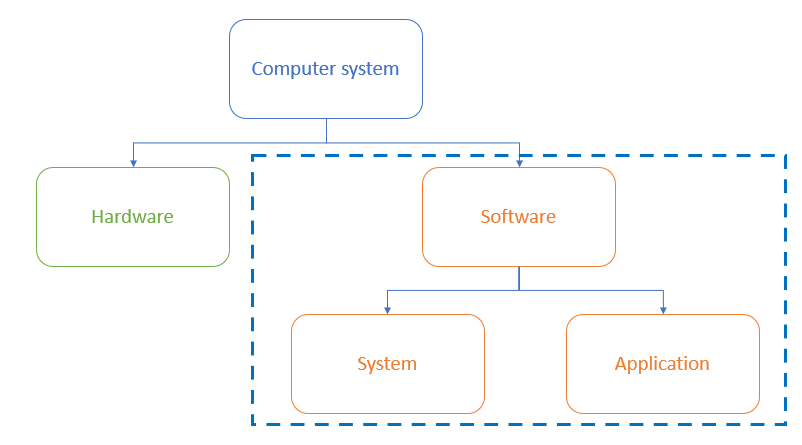
- Software can be broken down in to two categories, system and application software
Exam Hint Cambridge IGCSE 0478 expects you to distinguish clearly between system and application software. This revision note uses only the categories and terms examiners reward, no off-spec extras.
What is system software?
-
System software is software essential for the operation of the computer system
-
It gives users a platform to run applications and carry out tasks
-
Examples of system software include:
- The operating system
- Utility software
Utility software
-
Utility software is software designed to help maintain, enhance and troubleshoot/repair a computer system
-
Designed to perform a limited number of tasks
-
Interacts with the computers hardware, for example, secondary storage devices
-
Some utility software comes installed with the operating system
-
Examples of utility software and their function are:
- Defragmentation (maintain)
- Compression (enhance)
- Encryption (enhance)
- Task manager (troubleshoot/repair)
Exam Hint For 2-mark questions on software types, give the category (e.g. utility software) and a matching function (e.g. defragmentation to maintain disk performance). That’s how you hit both marks.
What is application software?
-
Application software (abbreviated 'apps') is software chosen by a user to help them carry out a specific task
-
Installed on top of system software and is user-chosen to best suit individual requirements
-
Common categories of application software include:
- Productivity- get things done efficiently (word processors, spreadsheets & presentation)
- Communication- stay connected (email, browser, messaging)
- Entertainment- Watch movies, play games or listen to music
Exam Hint Marks aren’t given for brand names like “Microsoft Word” or “Google Chrome.” Always use generic software types like word processor, browser, or email client, that’s what examiners look for.
Was this revision note helpful?