Network hardware (Cambridge International AS Computer Science)
LAN hardware
Hub
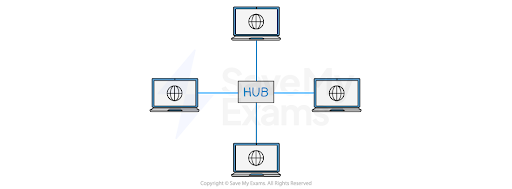
- A hub is a networking device which is used to connect multiple devices in a network
- Hubs are "dumb" devices that pass on anything received on one connection to all other connections
- Because all data is sent to all devices, it can lead to network inefficiencies and security issues
- Hubs allow multiple other devices to be connected to them
-
Hubs are generally much cheaper than switches, but:
- When a hub receives a data packet, it will broadcast it to every device on the network
-
This creates two potential issues:
- As the information is being broadcast to every device, it will make unnecessary traffic, especially if there are a large number of devices
- As every device will receive the data packet, security may be a concern
Switch
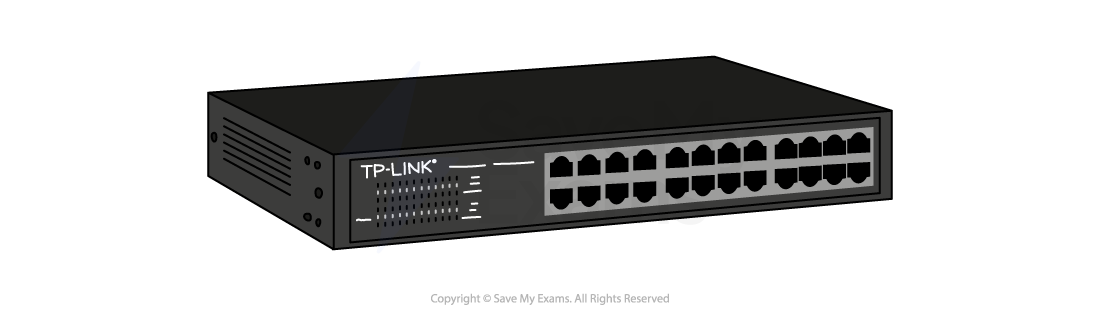
- A network switch is a networking device that connects devices on a computer network and uses packet switching to receive, process and forward data to the destination device
- Unlike a hub, a switch only sends data to the device it was intended for, which improves network efficiency
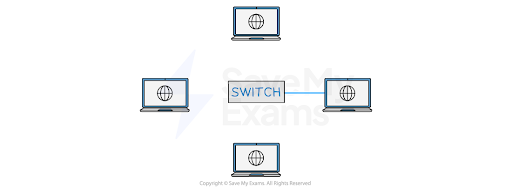
- This is done by each switch having a lookup table
| Port | Mac address |
|---|---|
| 1 | DF-42-B2-11-4D-E3 |
| 2 | 11-14-F2-1D-C3-C6 |
| 3 | 00-4B-17-7C-A2-C9 |
- When a switch receives a data packet, it examines the destination MAC address and looks up that address in its lookup table
- Once it has found the matching MAC address, it will then forward the data packet to the corresponding port
Server
- A server is a powerful computer that provides services or resources to other devices on a network (called clients)
- Can manage and store files, host websites, control access to printers, or run applications
- Often kept in dedicated rooms or data centres due to their importance and high uptime requirements
- Designed to handle multiple requests at once and stay on 24/7
- Servers usually run specialist operating systems (e.g. Windows Server, Linux)
- Can be part of a LAN (local server) or accessed remotely over a WAN (cloud server)
- Examples include: file server, print server, web server, mail server
Network Interface Card (NIC)
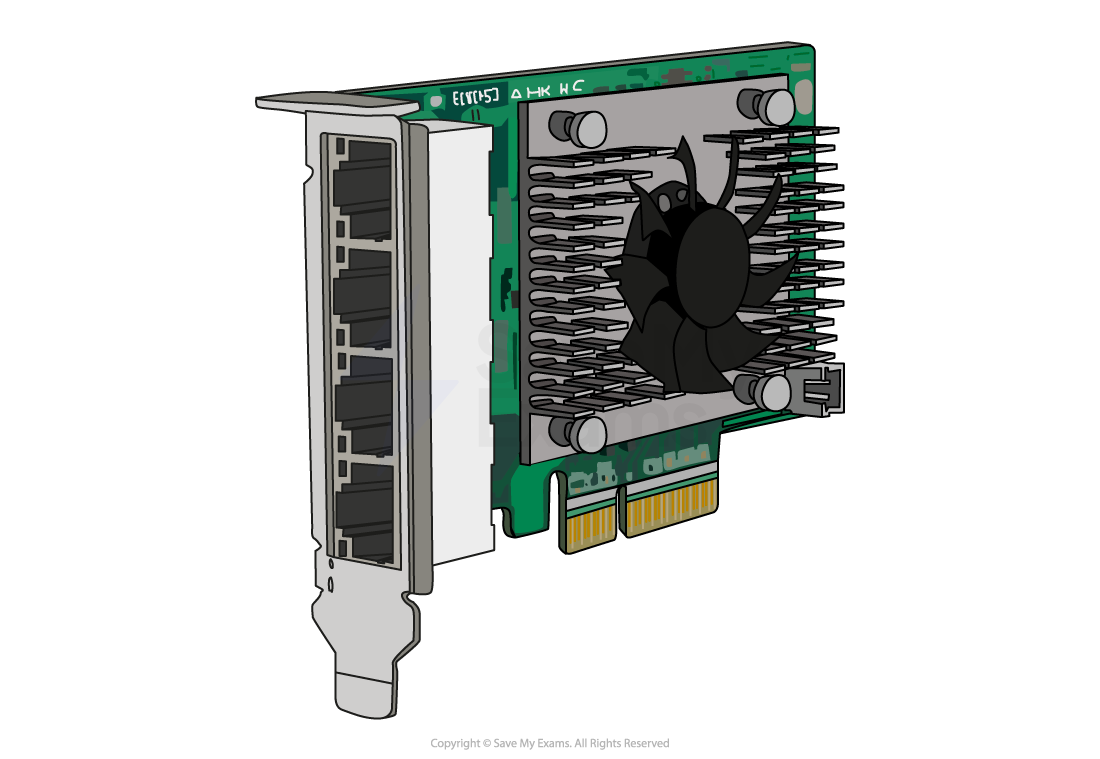
- Historically a card inserted into a slot on the motherboard but now more likely to be built into the motherboard, that enables a device to connect to a network
- NICs have a built-in ethernet port and can be connected to a network via an ethernet cable
- It provides a dedicated, full-time connection to a network, converting the computer's data into a network-friendly format
- Every NIC has a unique identifier called a MAC address, used to identify the device on the network
- The primary function of a NIC is to send and receive data packets between the computer or device and the network
Wireless Network Interface Card (WNIC)
- Allows a device to connect to a wireless network (Wi-Fi)
- Often built into the motherboard of modern laptops, tablets, and smartphones
- Uses radio waves to send and receive data to/from a wireless router or access point
- Provides a dedicated connection to the network, without needing physical cables
- Supports standard wireless protocols like Wi-Fi 4, 5, or 6 depending on the model
- Has a unique MAC address used to identify the device on the network
- Converts the device’s data into a wireless signal suitable for network transmission
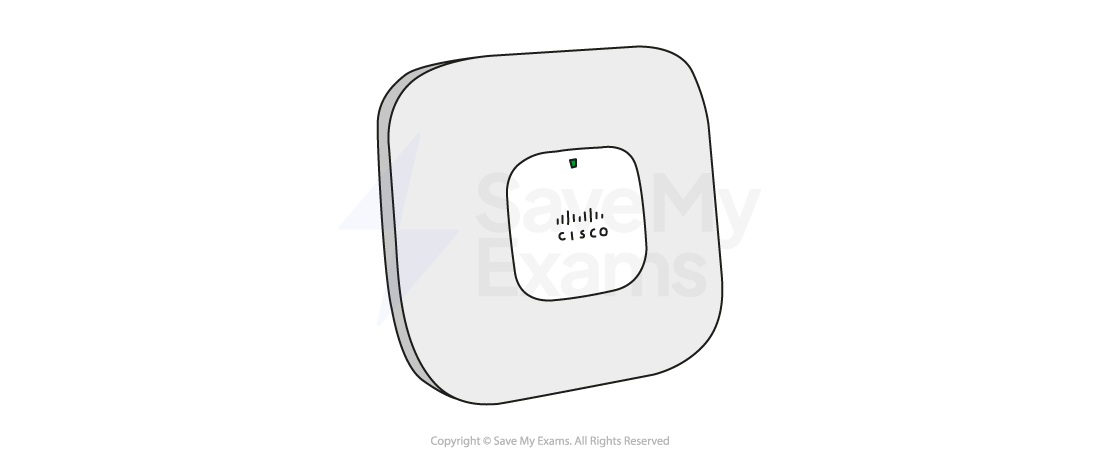
Wireless Access Point (WAP)
- Allows wireless devices to connect to a wired network
- Acts like a bridge between the wired and wireless parts of a network
- Commonly found in homes, schools, and offices as part of a Wi-Fi setup
- Often built into wireless routers, but can also be a separate device in larger networks
- Uses radio signals to send and receive data from wireless devices (e.g. laptops, phones)
- Extends the range of the wireless network, especially in large buildings
- Supports communication using standard Wi-Fi protocols (e.g. 802.11ac, 802.11ax)
Bridge
- Connects two separate network segments together
- Often used to join two LANs so they act as one larger network
- Operates at the data link layer (Layer 2) of the OSI model
- Can filter traffic by checking MAC addresses to decide if data should cross the bridge
- Helps reduce network traffic by only forwarding necessary data
- Commonly used in older or more complex network setups
Repeater
- Used to boost or regenerate signals in a network
- Helps extend the range of a wired or wireless signal
- Receives a weak signal and retransmits it at full strength
- Used when data needs to travel long distances without losing quality
- Often used in Wi-Fi range extenders to improve coverage in large buildings
- Operates at the physical layer (Layer 1) of the OSI model
Router
Spec point —
2.1.9
What is the role of a router?
-
A router is a network hardware device that routes data from a local area network (LAN) to another network connection -it joins two networks together
-
Routers analyse data packets and determine the best path for the packet to reach its destination
- The header contains information about the packet
- The payload is the actual data being sent
- The IP address of both the sender and intended recipient is stored in the header of the data packet
-
The router can **often feature additional functionalities **such as wireless networking, built-in firewalls for enhanced security, and network switch capabilities
-
A router being used to connect a LAN to a WAN will have a public IP address, which has been assigned to it by an Internet Service Provider
-
It is this public IP address that other routers use to** identify and direct packets** to the network
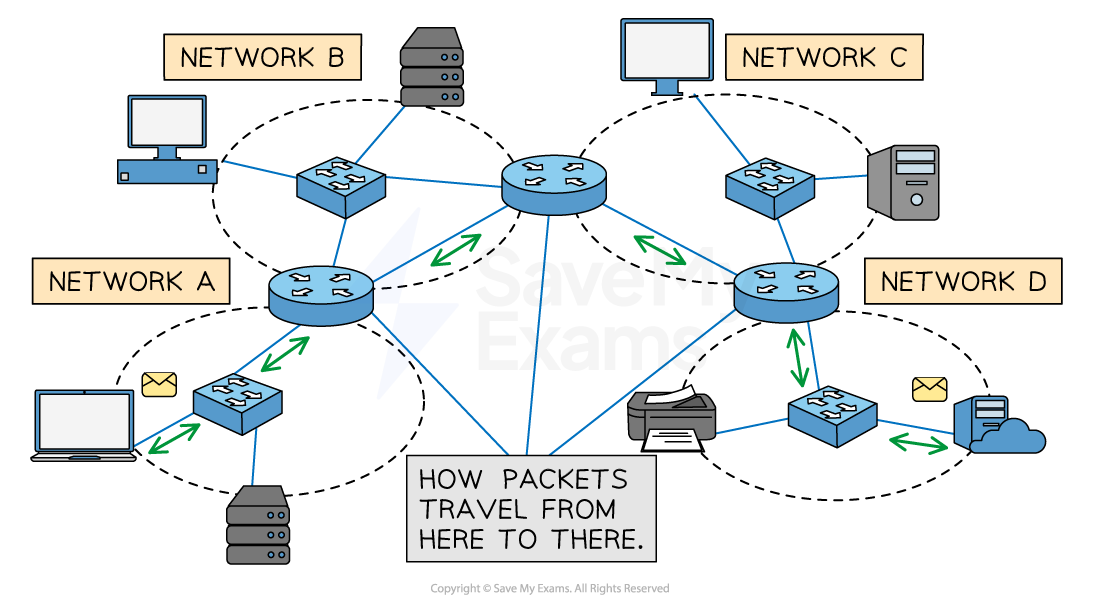
Multiple networks connected by routers, represented by the blue circular objects
-
If the data packet is coming into the LAN, the router will send the data packet to the specific device within its LAN that the packet is meant for
-
If the packet is being sent from a device within the LAN, it will read the header of the packet to determine the intended destination IP address
- It might have to travel through several routers before it gets to its destination
- Each pass from router to router is called a hop
- It will then forward the packet to its destination
-
The network access device or ‘home hub’ used in your home network will have a router built into it
| Step | Description |
|---|---|
| 1 | A router receives incoming data packets from one network and analyses the packet header to determine the destination IP address |
| 2 | It then looks up the IP address in a routing table (routing table of known networks) to determine the next network where the packet should be sent |
| 3 | The router then forwards the packet to the appropriate network or device |
-
Every router repeats this process the data packet passes through until it reaches its destination
-
In addition to routing data between networks, routers can also perform other functions such as:
- Assigning IP addresses to devices within the LAN
- Filtering incoming traffic based on certain criteria, such as IP address, port number, or protocol type
Was this revision note helpful?