Operating System fundamentals (Cambridge International AS Computer Science)
Purpose of an OS
What is an operating system (OS)?
-
An operating system (OS) is software that provides an interface between the user and the hardware in a computer system
-
An operating system hides the complexities of the hardware from the user, for example:
- A user does not need to know 'where' on secondary storage data is kept, just that it is saved for when they want it again
-
To help achieve this an OS provides a user interface
User interface
-
A user interface is how the user interacts with the operating system
-
Examples of user interfaces include:
- Command Line Interface (CLI)
- Graphical User Interface (GUI)
- Menu
- Natural language (NLI)
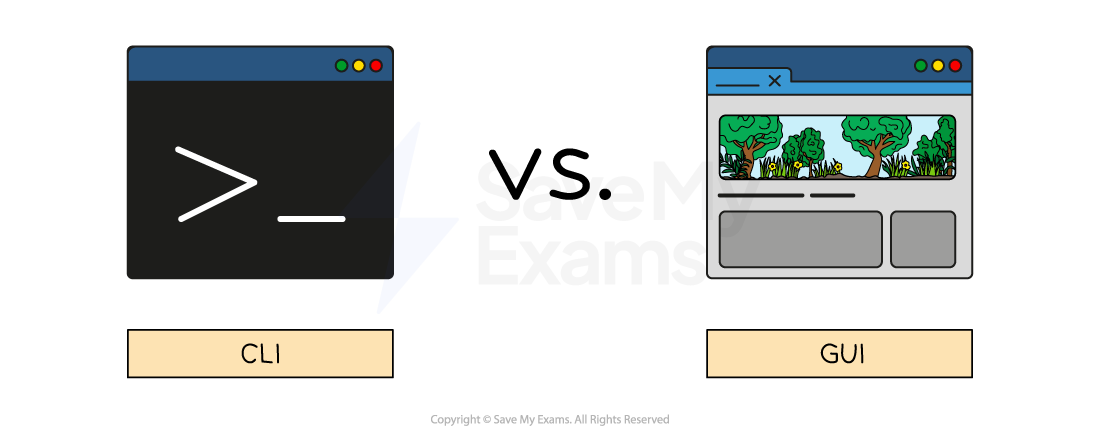
What is a command line interface (CLI)?
- A Command Line Interface (CLI) requires users to interact with the operating system using text-based commands
- CLIs are more commonly used by advanced users
- Examples of CLIs are MS-DOS (Microsoft Disk Operating System) and Raspbian (for Raspberry Pi)
What is a graphical user interface (GUI)?
- A Graphical User Interface (GUI) requires users to interact with the operating system using visual elements such as windows, icons, menus & pointers (WIMP)
- GUIs are optimised for mouse and touch gesture input
- Examples of GUIs are Windows, Android and macOS
What is a menu interface?
-
A menu interface is successive menus presented to a user with a single option at each stage
-
Often performed with buttons or a keypad
-
Examples include:
- Chip and pin machines
- Vending machines
- Entertainment streaming services
What is a natural language interface (NLI)?
-
A natural language interface (NLI) uses the spoken word to respond to spoken or textual inputs from a user
-
Examples include:
- Virtual assistants- Amazon Alexa, Google Assistant, Siri
- Search engines
- Smart home devices
OS management tasks
An operating system has five key management tasks:
- Memory management
- File management
- Security management
- Hardware management
- Process management
Memory management
-
Memory management is a process carried out by the operating system allocating main memory (RAM) between different programs that are open at the same time
-
The OS is responsible for copying programs and data from secondary to primary storage as it is needed
-
Programs and data require different amounts of RAM to operate efficiently and the OS manages this process
-
RAM is allocated based on priority and fairness, for example, system applications (essential) may have a higher priority than user applications
-
The OS dynamically manages the memory, adjusting allocation as needed to maintain optimal system performance
-
Memory management makes multitasking possible
- Prevents data from different programs overwriting each other in RAM
- Decides which processes and data should be kept in main memory at any given time
File management
-
File management is a process carried out by the operating system creating, organising, manipulating and accessing files and folders on a computer system
-
The OS manages where data is stored in both main memory and secondary storage
-
File management gives the user the ability to:
- Create files/folders
- Name files/folders
- Rename files/folders
- Copy files/folders
- Move files/folders
- Delete files/folders
-
The OS allows users to control who can access, modify and delete files/folders (permissions)
-
The OS provides a search facility to find specific files based on various criteria
Security management
- Operating systems provide various security features such as password-protected system accounts, a firewall, virus scanning and file encryption
- Password-protected system accounts are a very common feature in operating systems
- A system administrator is able to allocate different access rights for different users on a network
- The OS is able to maintain settings for individual users, such as desktop backgrounds, icons and colour schemes
- The OS audits(keeps a log of) files created by users, accesses, edits and deletes
Hardware management
- Peripheral management is a process carried out by the operating system managing the way peripherals (hardware) interact with software
- The OS allocates system resources to peripherals to ensure efficient operation
- Peripheral management makes plug-and-play (PnP) functionality possible, automatically detecting and configuring new peripherals without the need for manually installing device drivers or power cycling the system
- A device driver is a piece of software used to control a piece of hardware
- Input/output devices require device drivers in order to be used by the operating system
- The OS has generic device drivers built in which makes basic compatibility possible
- In order for hardware to be used to its maximum capacity, often a separate device driver must be downloaded from the manufacturer
- Device drivers are OS specific and are regularly updated
Process management
- Process management is a process carried out by the operating system dividing time (time slicing) into small chunks and allocating them to different processes
- The CPU executes one instruction at a time, but rapid context switching allows multiple processes to share processor time
- The OS uses a scheduling algorithm to **prioritise **processes
- Processes are** placed in queue** whilst waiting to be carried out, they return to the back of the queue when their time is up
- The goal of process management is to share resources (CPU & main memory)
- Allows processes to be paused and resumed using context switching
- Decides which process is executed next using a scheduling algorithm
Worked Example Identify four key management tasks that the Operating System will perform. [4]
Final answer: Answer
- Memory management [1 mark]
- File management [1 mark]
- Security management [1 mark]
- Hardware / device / peripheral / resources management [1 mark]
- Input/output management [1 mark]
- Process management [1 mark]
- Error checking and recovery [1 mark]
- Provision of a platform for software [1 mark]
- Provision of a user interface [1 mark]
Was this revision note helpful?
Build on this topic